I've never been a fan of foldable phones. They were bulky and expensive, and I found them somewhat ugly. Why do we even need folding screens? What's wrong with a regular one? Why pay so much for a display that doesn't even look good because of the crease down the centre?
Then Apple announced the iPhone Duo, and for once I was excited about a foldable. The hinge looked great, and the crease seemed almost invisible. Quite a change from what I'd thought about foldables until then.
Was never a fan of folds. But Apple has completely crushed this with iPhone Duo.
My First Time With the Duo
I got to try the Duo at Apple's Optimize Your App for iPhone Duo workshop in Bengaluru. The hardware was beautiful. The hinge felt great, and the crease was practically invisible. You had to look hard, at the right angle, to notice a slight waviness in the middle. I was impressed.
A few things felt inconsistent. The outer display was glossy, while the inner one looked matte. The device also went dark a couple of times when I folded or unfolded it. Maybe the software wasn't final yet. I can't say for sure.
I also met some lovely people at the workshop.
Almost 20 Years of Portrait
For almost 20 years, we've mostly used iPhones vertically. Calls, messages, browsing, scrolling. We've spent years building habits around portrait screens. Even the content we watch has followed along. Instagram Reels, TikTok videos and YouTube Shorts are made for vertical viewing.
The Duo challenges that. Folded, the outer screen is taller than it is wide, though broader than the iPhones I'm used to. Unfold it, and the inner screen is wider than it is tall. What we'd normally call landscape is now the default unfolded position. Sure, you can rotate it into portrait. But that's another move just to get to the layout we're used to.
I noticed this while adapting Modus, my camera app, for the Duo. Even the terminology can get confusing. The device orientation reports portrait while the interface orientation returns landscape. Device orientation and interface orientation aren't the same thing, but it's strange at first. I'll save the technical details for a separate article.
Although the orientation differences felt strange, I thought keeping similar aspect ratios when folded and unfolded was a clever design decision.
Even Apple Can't Negotiate With Geometry
During the keynote, Mr. John Apple said that on other foldables, movies were boxed in by huge black bars, making the larger screen feel much smaller. I'd always wondered about this. That line hit the nail on the head.
But movies have their own aspect ratios, chosen by the filmmakers. A wider display might be a better fit for some films, but making every movie fill it still means cutting something off. Apps adapting to different screen sizes doesn't change that trade-off. That's why the keynote's movie example felt misleading to me.
Think Vast. See Less?
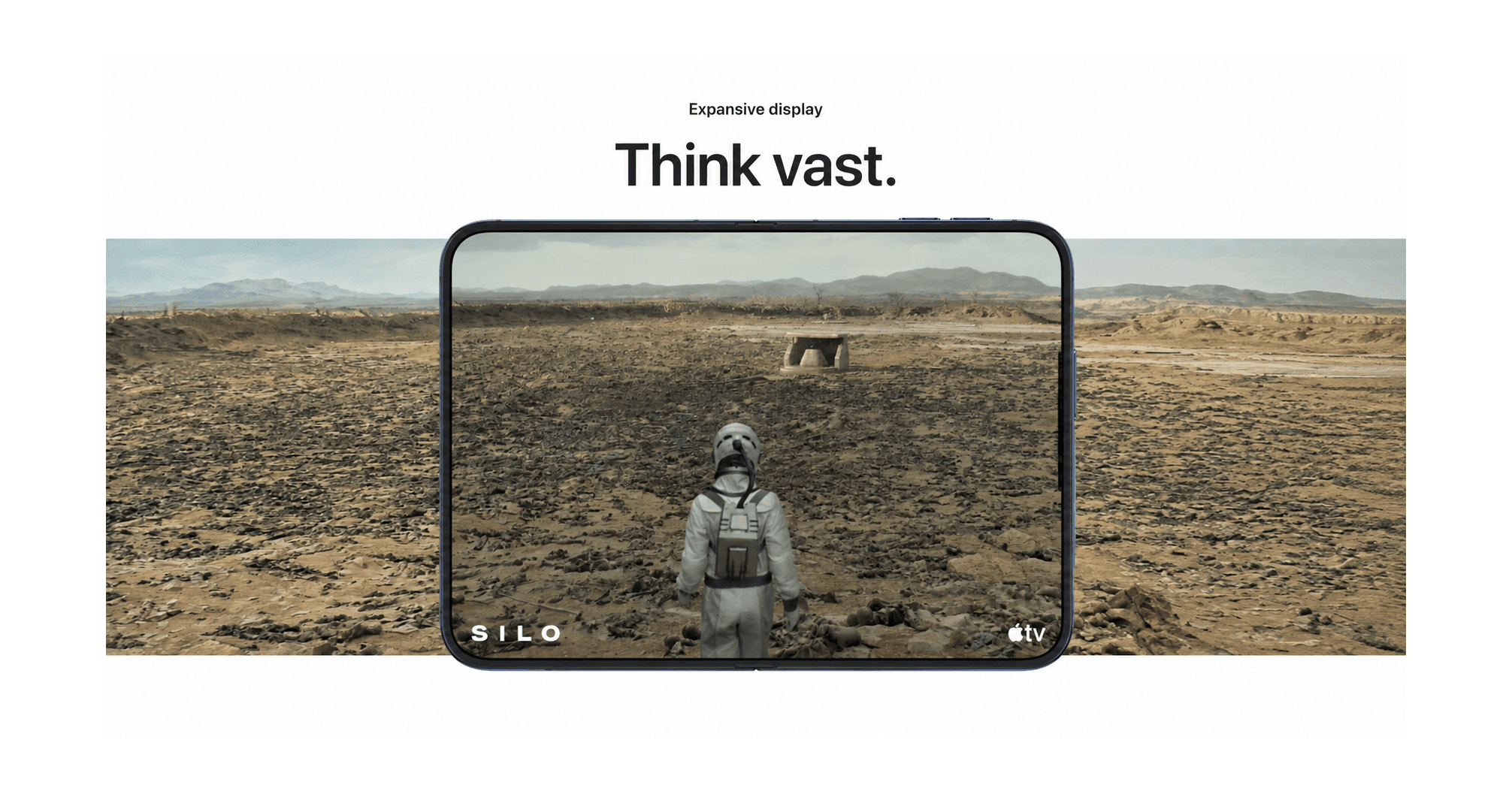
On Apple's iPhone Duo page, the “Think vast” section shows a scene from Silo filling the unfolded screen. The original scene is in 2.39:1, while the Duo's wide unfolded display is roughly 1.42:1. To fill that display without distortion, you'd have to crop about 40% of the frame.
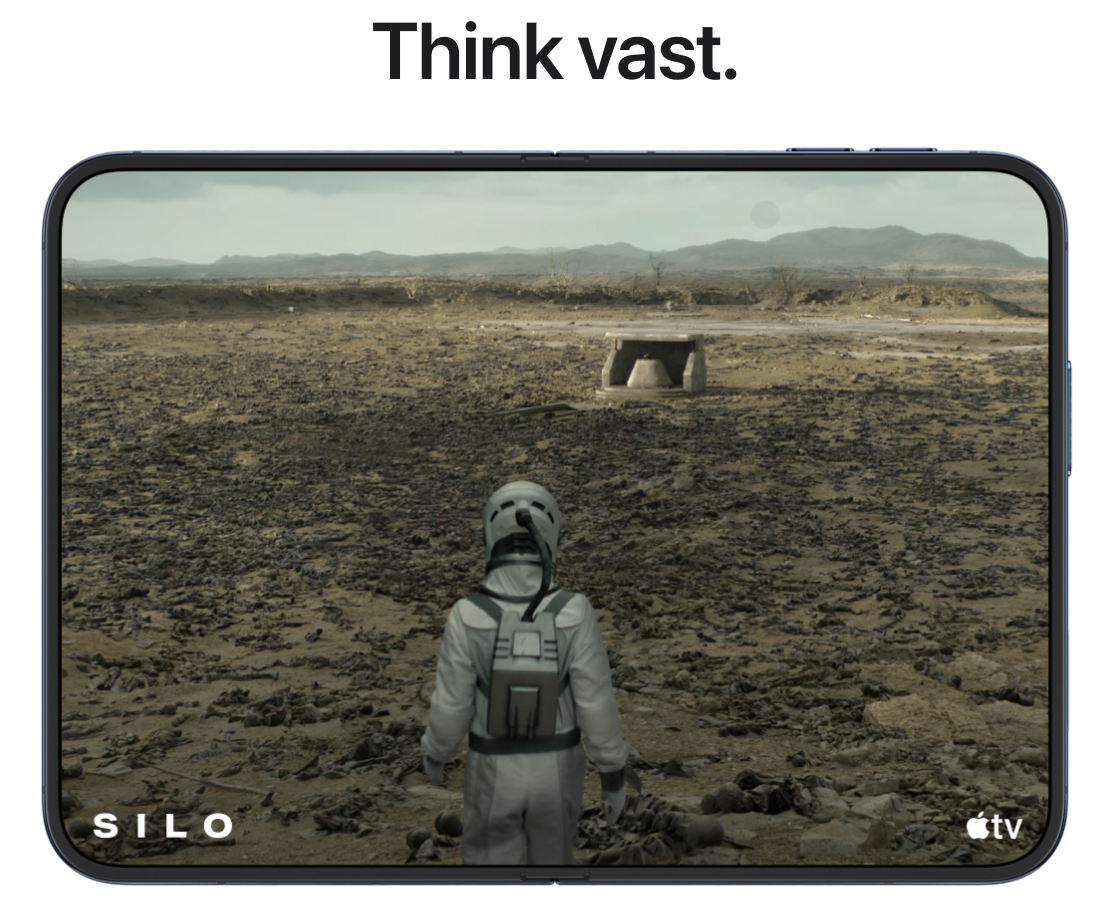
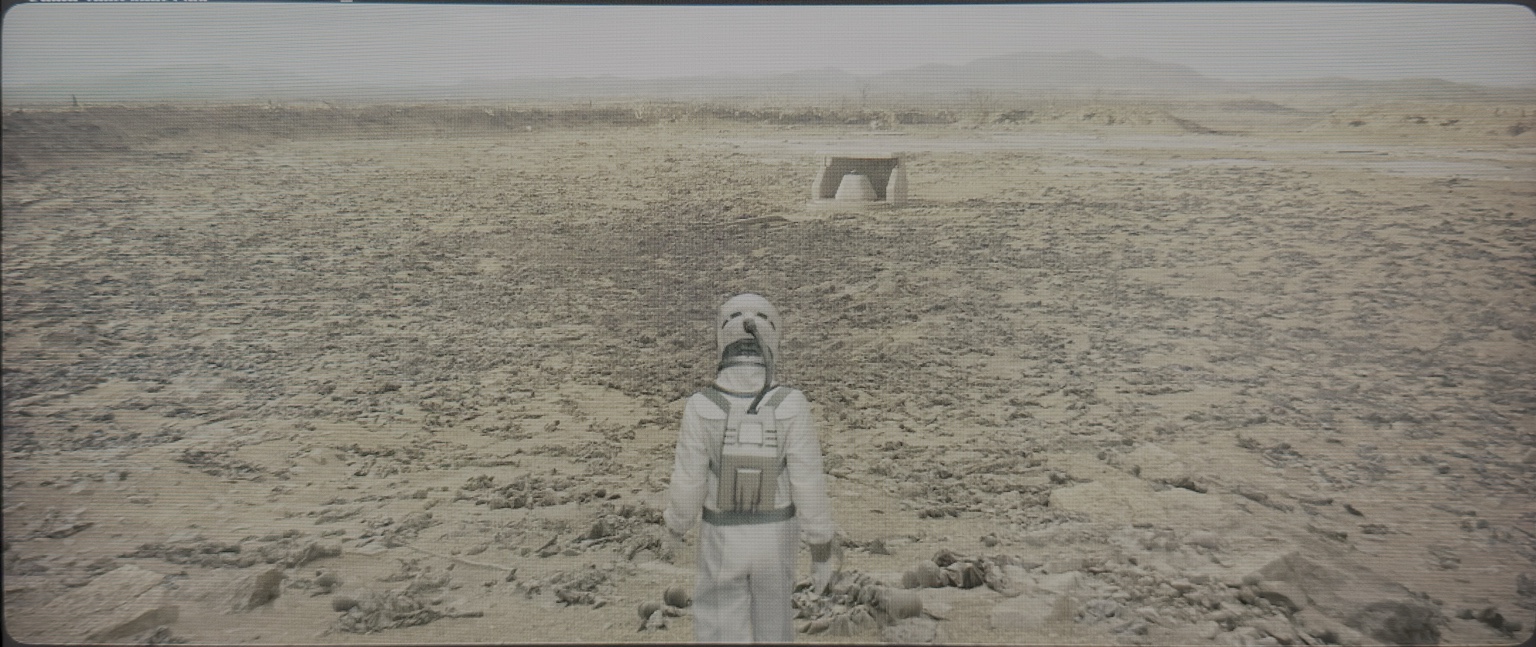
Apple may have cropped the image for its marketing page. That doesn't mean the Apple TV app plays videos this way.
Old Habits Die Hard
Navigation takes some getting used to. The tab bar we're used to finding at the bottom can now sit on the right side. That puts it closer to the right thumb, but comfort also depends on how you hold the unfolded phone. My post below floated a left-handed advantage. I'd want to try both grips for longer before making that claim.
The Duo also uses Touch ID, with the fingerprint sensor built into the side button. The iPhone 8 and 8 Plus were the last flagship iPhones to have it before Face ID took over. Macs still use Touch ID, sure, but I usually unlock mine with an index finger, not a thumb. I've become so used to Face ID that unlocking my phone barely feels like a step. Going back to a fingerprint sensor feels a little odd.
The First-Generation Question
This is Apple's first foldable iPhone. The crease was hard to spot when I tried it, but how will that display look after years of folding? I've also seen reports of screen damage since launch. I don't know how widespread those problems are, so I'm not drawing conclusions yet. Still, at this price, it's something I'd watch.
A Phone, an iPad, or Both?
This is where I'm a little confused about the Duo. I've always liked Apple's ecosystem because each device has a fairly clear purpose. My iPhone is for calls, messages and everyday things. My iPad is for reading, drawing, writing notes and the occasional bit of work. My Mac is where I spend most of my time coding and getting things done.
The Duo changes that relationship. It's an iPhone when folded and something closer to an iPad when unfolded. So rather than adding another device to the ecosystem, it feels like the Duo could replace two existing ones.
Maybe that's a good thing. But I've always preferred products that are either this or that, rather than trying to be this and that. For me, the question is whether the larger reading screen is worth adjusting how I hold the phone and reach its controls. I haven't used it enough to know yet.
Would I Buy One?
Maybe, just for the kicks. I admire the hardware, and a bigger screen could be great for reading and multitasking. Most of these complaints are nitpicks from a short hands-on session. I could get used to them.
I'm just not sure I'm ready for landscape to become my new portrait.